
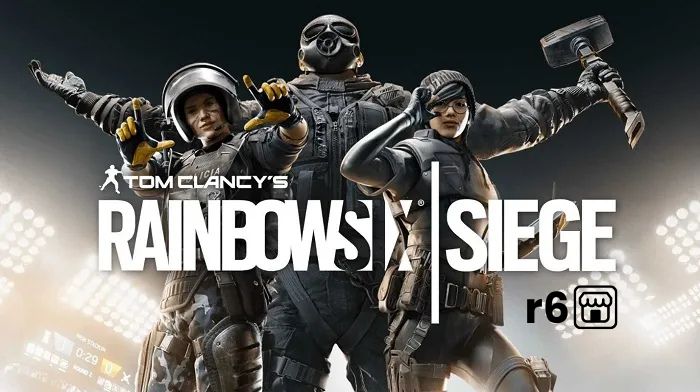
The R6 Marketplace is an official feature in Rainbow Six Siege that lets players trade cosmetic items. You can sell skins you do not want and buy ones you like using R6 Credits. This system started in beta in 2024 and became fully available in 2025 with the Siege X update. It gives players control over their inventory without relying only on packs or battle passes. Many use it to get rare old skins or turn extras into credits for new content. If you play Siege often, knowing how to use the R6 Marketplace can save money and improve your loadout.
What Is the R6 Marketplace?
The R6 Marketplace is Ubisoft’s in-game trading platform for Rainbow Six Siege cosmetics. It works like a digital store where players list items for sale and others place buy orders. When prices match, trades happen automatically. You trade uniforms, headgear, charms, and weapon skins for R6 Credits, the game’s premium currency. Unlike third-party sites, this is safe and official, with no risk of scams or bans. Items appear in your inventory right after purchase. The marketplace helps recycle old cosmetics into useful credits.
This feature solves a big problem in Siege. Before it launched, players could only get cosmetics through random packs or real money buys. Now, you access community-driven prices for thousands of items. Prices change based on supply and demand, like new season releases or events. Popular skins like Black Ice or crossovers often cost more, while commons stay cheap. Checking the R6 Marketplace daily shows trends, such as price drops after pack floods.
Who Can Access the R6 Marketplace?
Not everyone can jump in right away. Ubisoft sets rules to keep the system fair and secure. You need a Ubisoft account linked to Siege. Full access requires meeting specific criteria. If you qualify, log in via the website. Players under the level cap or without security features get blocked. This prevents new accounts from flooding the market with spam listings.
Clearance Level Requirement
Reach at least Clearance Level 25 to use the R6 Marketplace. Clearance Levels come from earning XP in any mode, like Quick Match or Unranked. They do not reset and show your total playtime. If you hit Level 25 but still see an error, play one multiplayer match to verify. This step confirms recent activity. New players grind about 50-100 hours to qualify, depending on wins. Once eligible, you stay eligible forever.
Two-Factor Authentication and Security
Enable 2FA on your Ubisoft account. Go to account.ubisoft.com, select Security, and set up an app like Google Authenticator. This adds a code to every login. Without it, the R6 Marketplace locks you out. Ubisoft requires this to stop hacks. Changing your email or password triggers a 14-day trade lock for safety. Always use strong passwords and avoid sharing details.
How to Access the R6 Marketplace
Visit the official site at ubisoft.com/en-us/game/rainbow-six/siege/marketplace. Log in with your Ubisoft credentials. It syncs your Siege inventory automatically. You can also access it from the in-game menu under the shop tab on PC, PS, or Xbox. The web version shows more details, like price charts. Mobile works too, but desktop is best for searching. If items do not load, restart the game or clear cache.
The interface has three main tabs: Buy, Sell, and Transactions. Buy lets you shop listings. Sell shows your tradable items. Transactions track orders and credits. Use filters for operators, weapons, or rarity. Sort by price, newest, or popularity. Search bar helps find exact skins, like “Ash Black Ice.”
Eligible Items in the R6 Marketplace
Only certain cosmetics trade on the R6 Marketplace. Eligible items include uniforms, headgear, charms, and weapon skins marked as tradable. These come from packs, battle passes, or events. Current season items often unlock trading after 30-60 days. Rarities range from common to legendary. Crossovers like Demon Veil or anime skins qualify if owned. Operators, guns, or non-cosmetic gear do not trade. Check your inventory; grayed-out items are ineligible.
Not seeing all items? Ubisoft hides some due to bundles or exclusivity. Alpha skins like Peacock trade if unlocked early. Celebration packs added more options in 2025. Always verify in the Sell tab. If an item vanishes post-purchase, wait for sync.
Earning and Spending R6 Credits
R6 Credits power all trades. One credit buys a fraction of a cosmetic. Sell items to earn them, or purchase packs from the Ubisoft Store. Packs start at 600 credits for $5, up to 10,000 for bulk. Credits never expire and work in the shop too. You cannot convert back to real money, so spend wisely.
Buying R6 Credits Safely
Buy directly from ubisoft.com or in-game. Avoid third-party sellers; they risk bans. Prices: 1200 credits ~$10, 2670 ~$20. Watch for sales during events. Credits fund battle passes or direct buys too. Track spending in your account history to stay under budget.
Step-by-Step: Selling Items on the R6 Marketplace
Log in to the site and click Sell. Your eligible inventory loads. Pick an item, like a duplicate uniform. Enter your asking price—the credits you want after fees. Set it based on current market, say 1000 credits. Confirm and list. Orders last 30 days or until matched. Once sold, credits appear instantly minus fee. Relist up to 5 active at once.
After sale, check Transactions for confirmation. Credits go to your balance for buying. If no match, cancel and relist lower. High-demand items sell fast; rares take time. Sell during low-supply periods, like post-season.
Step-by-Step: Buying Items on the R6 Marketplace
Switch to Buy tab. Search or filter items. View listings sorted by price. Place a purchase order: set max credits you’re willing to pay, like 900 for a 1000-credit skin. It matches lowest sell orders first. Or buy instant if available. Pay with credits; item delivers to inventory immediately. Orders expire in 30 days unmatched.
Bought items lock for 15 days before reselling. This stops quick flips. Track orders in Transactions. If issues, contact support via ticket.
Instant Buys vs. Purchase Orders
Instant buys grab listed items at seller’s price—fast but pricier. Purchase orders wait for deals, saving credits. Use orders for sniping under market value. Check order book for spreads.
Fees in the R6 Marketplace
Ubisoft takes a 10% transaction fee on every sale. If you list for 1000 credits, you get 900 after fee. This funds the platform. No buyer fees. Factor it in: aim 11% higher for net goal. No taxes beyond that. Fees stay consistent since launch.
Best Tools for Tracking R6 Marketplace Prices
Use Stats.CC/siege/marketplace for live prices, history graphs, and top movers. See 7-day changes or all-time highs. Filter by weapon or operator. Set alerts for drops. Browser extensions pull data in-game. Check daily for flips. These beat in-site tools.
Profitable Strategies for the R6 Marketplace
Buy low during pack floods, sell high later. New seasons crash prices—stock up. Flip after 15-day lock if profit margins hit 20%+. Watch X or Reddit for trends. Start small with 5 listings.
- Sniping Deals: Refresh Buy tab for underpriced listings. Set orders 5-10% below average. Tools like Stats.CC show floors. Snipe during off-hours.
- Flipping Items: Buy cheap, wait cooldown, relist higher. Works on mid-tier skins. Calculate fees and time. Aim 15-30% profit.
- Common Mistakes to Avoid: Do not underprice—check history. Avoid panic buys on hype. Max 5 orders; rotate wisely. Never trade outside official site. Ignore scam DMs.
Keeping Your Account Safe on the R6 Marketplace
2FA is key. Use unique passwords. Monitor Transactions for odd activity. Report bugs via R6Fix. Ubisoft handles all trades—no manual swaps. Locked after changes? Wait it out.
Troubleshooting R6 Marketplace Problems
Items not showing? Play a match. Orders stuck? Cancel and retry. Credits missing? Check fees. Site down? Use in-game. Submit tickets with screenshots.
For more visit erone.
The Future of the R6 Marketplace
Ubisoft adds items yearly, like membership skins. Expect more filters, mobile apps, auctions. Prices stabilize as volume grows. Stay updated via patch notes.
Mastering the R6 Marketplace takes practice but pays off. Start by selling extras, track prices, and build credits. You will customize perfectly without overspending. Happy trading!